
VanyaVPN Support
Answers to common questions about the subscription and the app. If yours is not here, message us on Telegram at @vanyasupport or use the form at the bottom of the page.
Common questions
No email or cannot sign in
You sign in to the app with the email your subscription is on: tap “Sign in with Email” and enter the code from the email. You do not need a key for that.
If the email with the code does not arrive, check your spam folder and make sure the address is correct.
For app version 1.20 you can get the email with your key again.
How to sign in to the app
You no longer need a key to sign in, the app works with your account.
- Open the app and tap “Sign in with Email”.
- Enter the email your subscription is on. You will get a one-time code there, enter it in the app.
- Tap “Connect”.
Signing in with a code
If you are already signed in on another device, open “Account” → “Sign in on another device” there. On the new device tap “Sign in with code” and enter the digits shown. Your account on the website gives out the same kind of code.
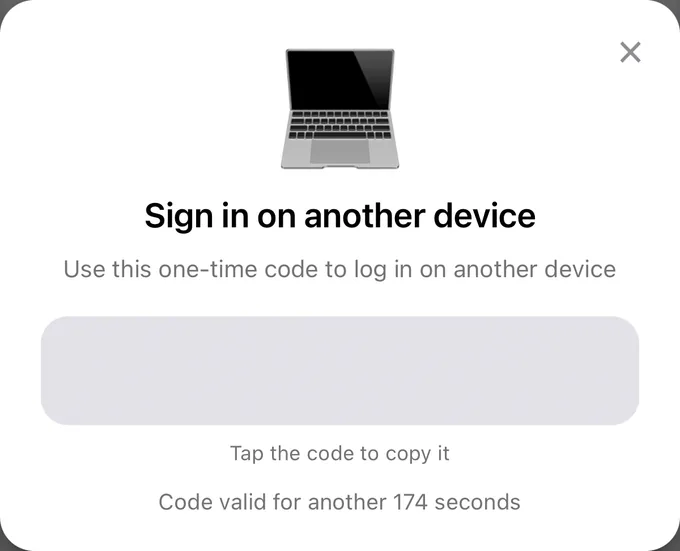
In version 1.20, the key from the email or from your account is added to the app with the “+” button.
The app asks you to sign in again
Tap “Sign in again” and sign in to your account. This can happen, for example, after your key was reissued.
In version 1.20, copy the new key in your account, add it to the app with the “+” button and connect. After that you can delete the old server.
Older macOS version
The app needs macOS 12 or newer, and the Mac App Store version needs 12.4 or newer. Both versions are described on the Mac page.
If you cannot update the system, install VanyaVPN on your phone or connect your router to VPN: then VPN works on every device on your home network, this Mac included.
If the app will not connect
- Tap “How to fix?” in the error message. The app will suggest what to do in your case.
- If that does not help, open “Account” → “Settings” and tap “Find working server”. The app will recheck the connection, change the IP address and turn on Multihop if needed. This takes up to two minutes.
- Pick another country: tap “Location” on the main screen.
Only on mobile internet
Your operator may have switched to whitelists. Turn off VPN, open “Account” → “Settings” and set Multihop to Russia. Whitelists differ between operators and regions, so this mode does not help everywhere.
Android turns off VPN in the background
On some phones the system turns VPN off when the app is minimized. Open “Account” → “Settings” and tap “Add to exceptions” in the Battery saving section.
Windows
Uninstall the app via Settings → Apps and install the latest version from the download page. If Windows asks for permission for the network adapter during installation, allow it. Sometimes you need to restart the computer afterwards.
The app needs Windows 10 or newer. On Windows 7 and 8 you can update the system, install VanyaVPN on your phone or set up a router. The Windows 7 page explains how.
If the app will not uninstall
If it is missing from Settings → Apps and from the Control Panel, delete the VanyaVPN folder from Program Files.
If Windows says the program is running, end the OutlineService.exe process in Task Manager and delete the folder again.
How to set up Android TV
- Install VanyaVPN on the TV from Google Play or with the APK file from the download page.
- Get a sign-in code: in your account, or in the app on your phone under “Account” → “Sign in on another device”.
- Enter the code on the TV. If the code has expired, get a new one.
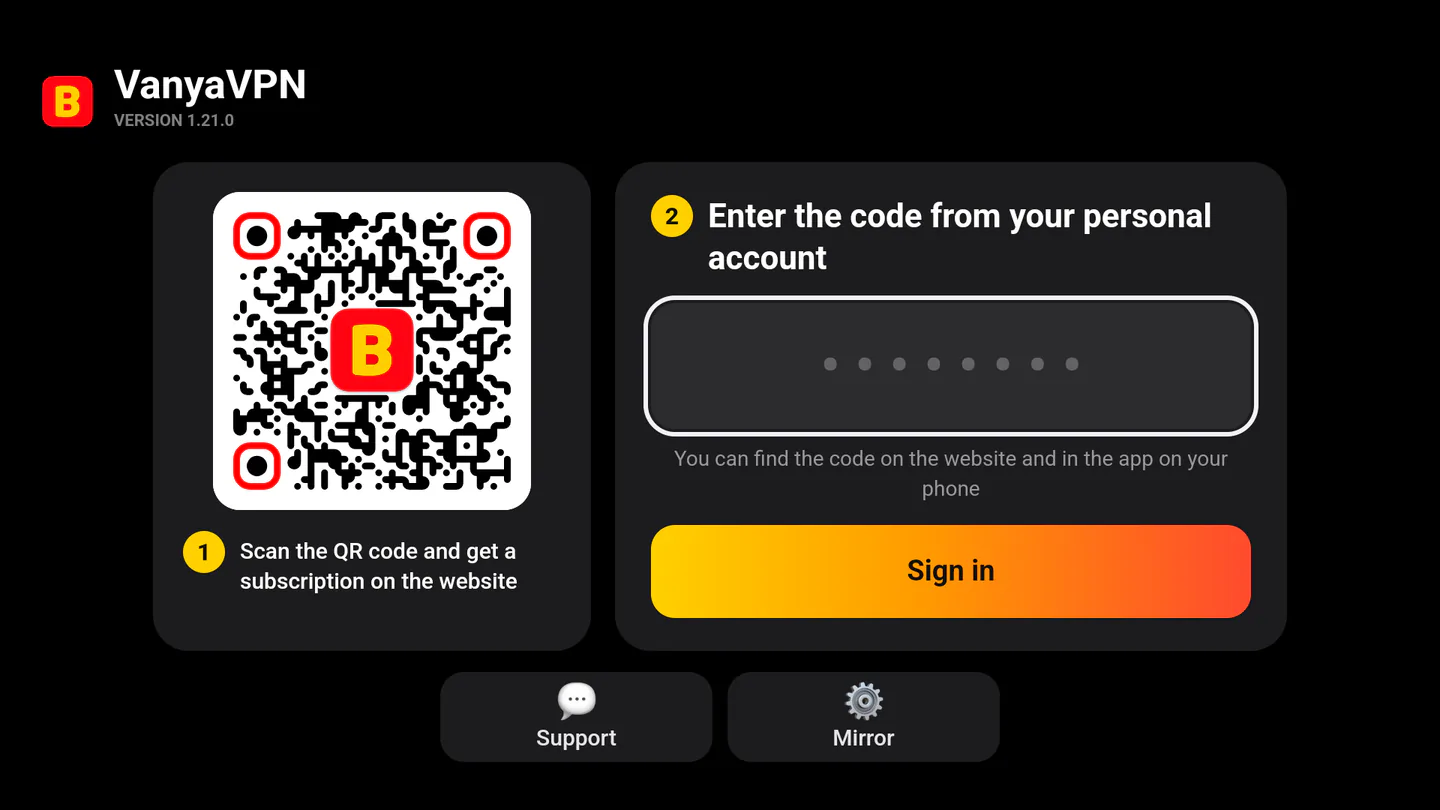
The step-by-step guide is on the Android TV page (in Russian).
VPN on a router
If you connect the router itself to VanyaVPN, VPN works on every device on your home network, including the TV and the game console. The router menu needs a VPN client for that.
Guides for Keenetic, TP-Link, ASUS, Xiaomi and other brands are on the routers page.
How to renew your subscription
If auto-renewal is on, you do not need to do anything.
To renew early, or after auto-renewal was turned off, use the renewal page. Enter the same email your subscription is on: the paid period is added to the current one, and you will not need to sign in to the app again.
How to change your plan
If your subscription renews automatically, change the plan in your account. If auto-renewal is off, pay for the plan you want on the renewal page with the same email.
To move straight to six months or a year after the trial, change the plan in your account before the trial ends.
How to link a different card
Pay for the subscription again on the renewal page with the same email. The paid period is added to the current one, and the new card replaces the old one.
Turn off auto-renewal
The subscription keeps working until the end of the paid period. You can turn off renewal here or in your account.
Why did my trial subscription renew for a month?
The Vanechka trial is the first 3 days of the subscription, after which it continues month to month. This is stated on the payment page next to the button and in the offer agreement.
If you do not want to continue, turn off renewal in your account. The paid month keeps working until it ends.
Subscription details
You will find the end date, the plan and the payment method in your account. In the app, the subscription period is shown under “Account”.
Is using a VPN legal in Russia?
Yes. The law does not prohibit individuals from using a VPN. The requirements apply to VPN services themselves, not to their users.
How many devices can I connect?
As many as you like. Sign in to your account on all your devices, there is no device limit. You can share the account with your family, our terms allow it.
Which countries are included in the subscription?
The subscription includes 187 locations, all of them on every plan.
We pick your first country automatically, and you can switch to another one in the app at any time. More about our servers is on the locations page. New countries are added to the subscription at no extra charge.
How do I change the location in the app?
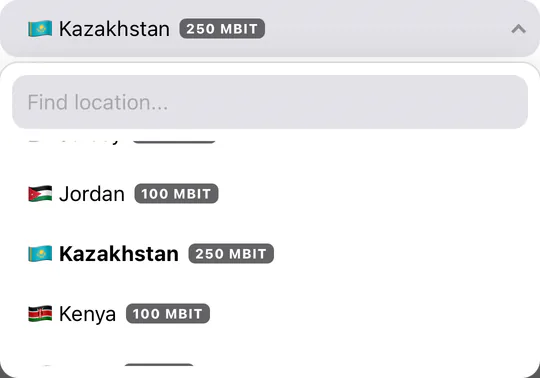
Tap “Location” on the main screen and choose a country from the list or “Fastest”. You do not need to disconnect from the VPN first.
If “Automatically connect when changing location” is ticked, the app reconnects on its own. Otherwise the new country is used the next time you connect.
Is there a location in Russia?
Yes, we have a location in Russia.
Can you add a location you do not have yet?
Message us on Telegram at @vanyasupport with the country you need, and we will check whether we can add it.
Can I try the service before buying?
Yes, there is the Vanechka trial: 3 days for 0.50 dollars with every country. After that the subscription continues month to month, and you can turn renewal off in your account.
Can I pay for VanyaVPN with a Russian card?
Yes, with a Mir, Visa or Mastercard card issued by a Russian bank. You can also pay via SBP, with a card issued abroad or with cryptocurrency. The trial cannot be paid with cryptocurrency.
Will the VPN work with my ISP?
At home and on mobile internet, usually yes: the app picks a protocol that gets through on your network.
If your operator has switched to whitelists, set Multihop to Russia in “Account” → “Settings”. Whitelists differ between operators and regions, so this mode does not help everywhere.
Is the VanyaVPN VPN available from abroad?
Yes. The subscription is not tied to the country you connect from: you choose the server country in the app wherever you are.
Where do I download the app for my device?
Apps for Windows, macOS, Linux, Android, iPhone and Android TV are on the download page.
Is there a traffic limit?
No, traffic on the subscription is unlimited.
Can you see which sites I visit?
We do not store the history of the sites you open, your DNS queries or the contents of your traffic.
Contact form
Describe your question — we will reply to the email you provide.